
Google Vids AI review 2026: Gemini Omni 1.2 Flash Video Clips Pricing and Marketing Limits
Google Vids now uses Gemini Omni 1.2 Flash for 3–15 second clips. Review the API and Workspace pricing, output limits, and real marketing constraints.

Google Vids integrates Gemini Omni 1.2 Flash for native 3–15 second video clips with conversational editing. Users generate short marketing assets directly in vids.new or via the Gemini API, with clear per-second costs and monthly caps on free and paid plans.
Google Vids AI review 2026: Key Generation and Editing Features
Omni 1.2 Flash produces clips between 3 and 15 seconds, up from the 10-second limit of version 1.1. It supports multi-turn edits that change background, lighting, or product placement while keeping character and brand consistency through reference images or prior video frames. Output starts at 360p or 720p and can upscale to 1080p or 4K, with native audio that includes improved multi-speaker dialogue and lip-sync.
Camera moves are more controllable, and the model maintains frame-to-frame consistency when users supply reference video or audio. First and last frame interpolation remains capped at 10 seconds, and extensions append only, reaching roughly 30 seconds total. Safety filters block real people and logos, and some advanced editing options stay unavailable in the EEA, Switzerland, and the UK.
Typical marketing outputs include product explainers, social ads, virtual try-ons, and sales teasers. Teams combine generated clips with avatars, stock music, and voiceover inside Google Vids to create finished 30–60 second pieces without external editing tools.
Gemini Omni Video Generation Pricing Limits and Practical Constraints
API pricing charges $0.07 per second for 720p output, 30 percent below the 1.1 rate. A 15-second 720p clip costs roughly $1.05. Lower resolutions drop to $0.023 per second at 360p, while upscaled 1080p runs $0.104 per second and 4K reaches $0.209 per second. Input tokens cost $1.50 per million, with no free API tier.
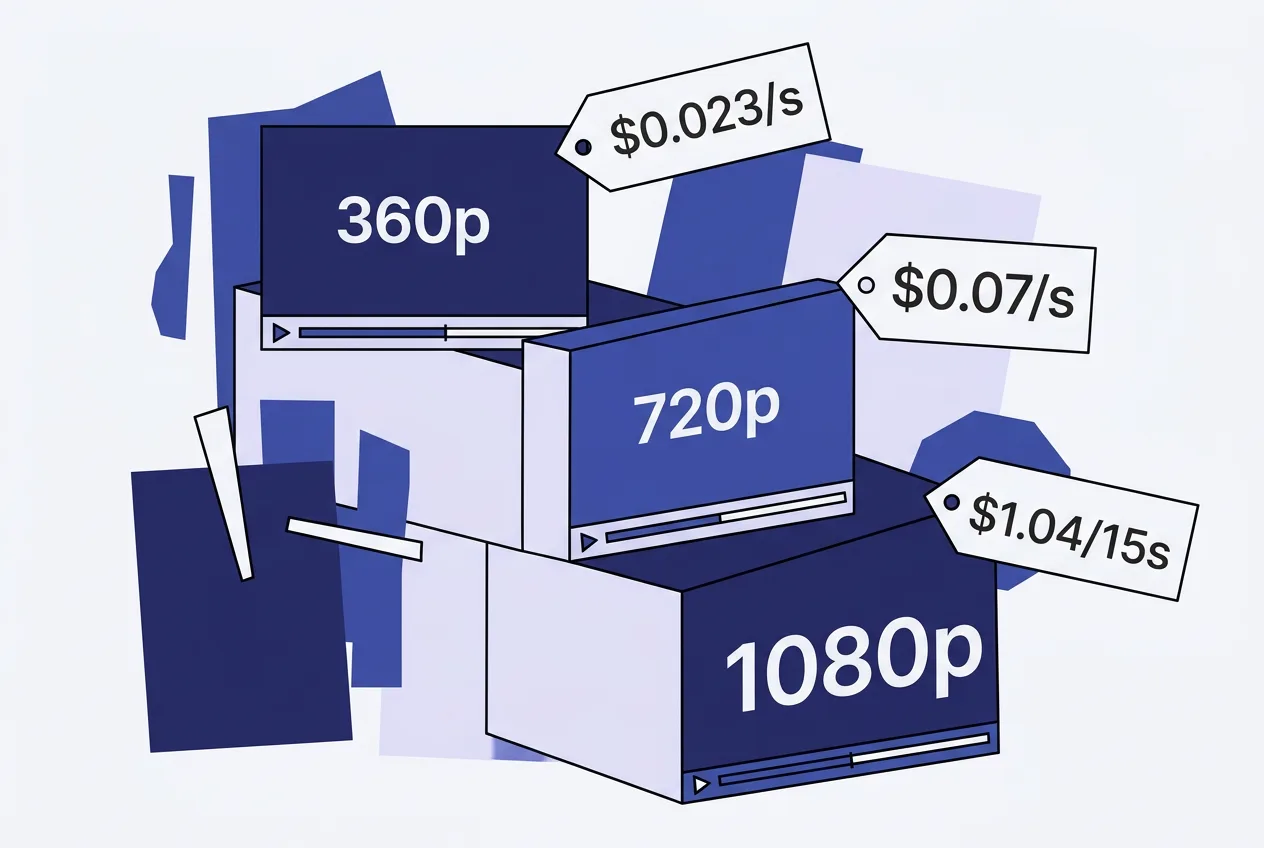
Google Vids itself offers three free 15-second clips per month to any Google account holder. Paid Google AI Pro and Workspace plans raise the allowance; Pro subscribers receive 500 seconds monthly, with exact limits varying by tier and resetting each month. Video output is billed by tokens, approximately 5,792 tokens per second at 720p.
| Resolution | Price per second | Cost of 15-second clip |
|---|---|---|
| 360p | $0.023 | $0.35 |
| 720p | $0.07 | $1.05 |
| 1080p (upscaled) | $0.104 | $1.56 |
| 4K (upscaled) | $0.209 | $3.14 |
Limitations include occasional skipped instructions in roughly one of four prompts, weak handling of fast sports or complex physics, and no support for negative prompts or system instructions in the API. Uploaded audio and voice editing are unavailable. Outputs carry SynthID watermarks. English works reliably; other languages remain untested at scale.
Marketing Content Use Cases and Daily Workflow Limits
Teams use the tool for rapid social teasers and product promos where brand consistency across multiple short clips matters. Reference images help maintain character appearance or product color across shots, reducing post-production fixes. Single continuous camera moves replace traditional cuts in many 15-second deliverables.
Workflows start with a text prompt or reference image, followed by iterative chat edits until the clip meets brand guidelines. Users then export at 720p for social platforms or upscale for higher-resolution ads. Volume constraints appear quickly: free users exhaust their three clips in one session, while Pro users can produce roughly 33 clips of 15 seconds before hitting the 500-second monthly cap.
Common mistakes include requesting rapid motion sequences that the model still struggles to render cleanly and expecting full uploaded-video editing that remains restricted. Teams that keep prompts focused on static-to-moderate motion and supply clear reference assets achieve the most consistent results within the stated limits.
Frequently asked questions
How many free clips can I generate in Google Vids each month?
Any Google account receives three free 15-second clips per month. Paid Pro and Workspace plans increase the allowance, with Pro currently set at 500 seconds monthly.
What is the exact cost to generate a 15-second 720p clip via the Gemini API?
The API charges $0.07 per second at 720p, so a 15-second clip costs approximately $1.05. Upscaled resolutions cost more per second.
Can I edit uploaded video files with Omni 1.2 Flash in Google Vids?
Uploaded video editing remains unavailable in the EEA, Switzerland, and the UK. Reference images and prior clips work for consistency, but direct video uploads for editing are restricted in those regions.
How long can a single continuous clip be before I need to combine exports?
Native generation tops out at 15 seconds. Extensions append only, reaching roughly 30 seconds total before users must combine separate exports inside Google Vids.
Comments 4